e Crop Registration AP Online 2026: Your Complete Guide to Digital Crop Booking

The demand for ‘e crop registration ap online’ is surging, marking a significant digital transformation in agriculture, particularly for farmers in Andhra Pradesh. This comprehensive guide will walk you through the e Crop Registration process, also widely known as digital crop booking, explaining how you can electronically record your cultivated crops. This crucial step, often facilitated through the Karshak AP portal, is indispensable for accessing various government schemes, subsidies, and crop insurance benefits. Understanding ‘e crop registration ap online’ is vital to ensure your agricultural data is accurately captured and you can fully avail the support intended for you.
Understanding e Crop Registration AP Online: What is it?
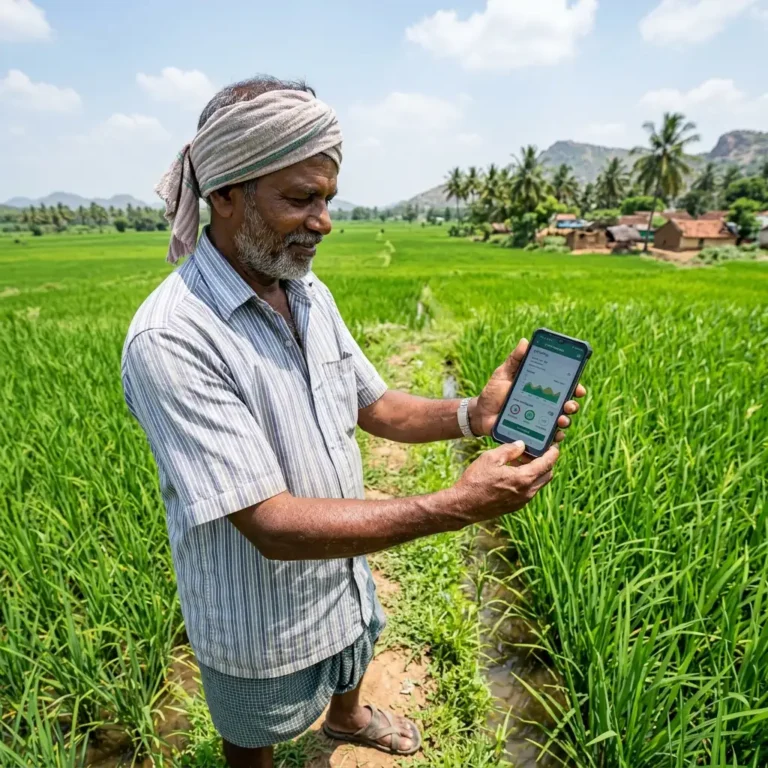
e Crop Registration refers to the electronic registration of crops cultivated by farmers on their land. It’s a digital initiative by various state governments in India, with a strong focus in Andhra Pradesh, to create a comprehensive database of crops, land holdings, and farmers. This system replaces traditional manual methods, offering greater accuracy, transparency, and efficiency. The primary goal of e Crop Registration is to streamline the process of collecting agricultural data, which is then used for various purposes like crop insurance, procurement, disaster relief, and direct benefit transfers under schemes like PM Kisan. For farmers in AP, completing their e crop registration ap online is key to unlocking these benefits.
Benefits of e Crop Registration for Farmers
Embracing e Crop Registration offers several practical advantages for farmers, especially those utilizing the e crop registration AP online system:
- Access to Schemes: It serves as a verified record for farmers to prove their cultivation, making them eligible for government support schemes, subsidies, and loan facilities like the Kisan Credit Card.
- Faster Claim Processing: In case of crop damage due to natural calamities, accurate e crop data helps in faster assessment and disbursal of compensation under schemes like Pradhan Mantri Fasal Bima Yojana (PMFBY).
- Transparency and Accuracy: Reduces errors and manipulation associated with manual data entry, ensuring fair benefits reach genuine farmers through the e crop registration AP online system.
- Market Linkages: Data from e Crop Registration can help in better planning for procurement agencies, potentially leading to better market access for farmers’ produce via platforms like eNAM.
- Digital Records: Provides farmers with a digital record of their cultivation, which can be easily accessed and updated.
Eligibility Criteria for e Crop Registration AP Online
While specific criteria may vary slightly from state to state, generally, the following conditions apply for e Crop Registration, particularly for ‘e crop registration ap online’:
- Farmer Status: The applicant must be a genuine farmer cultivating crops on their land.
- Land Ownership/Tenancy: Farmers should have valid documents proving ownership or lawful tenancy/cultivation rights over the land where crops are grown. This includes pattadar passbooks, ROR (Record of Rights), or lease agreements.
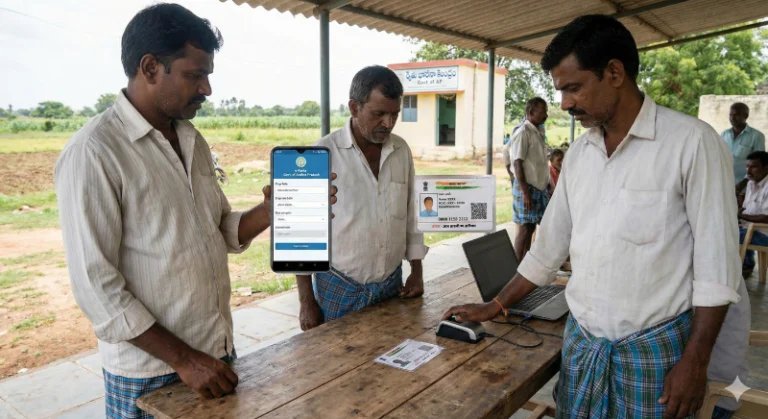
- Aadhaar Card: An Aadhaar card is almost universally required for identification and linking with various government databases for e crop registration.
- Bank Account: A valid bank account, preferably Aadhaar-linked, for direct benefit transfers.
Step-by-Step Guide: How to Apply for e Crop Registration AP Online (Karshak Portal)
The application process for e Crop Registration typically involves the following steps, with state portals having slight variations. For ‘e crop registration ap online’, the process primarily uses the Karshak AP portal:
- Visit the Official Portal: For farmers in Andhra Pradesh, access the official Karshak AP portal (e-Crop portal) or the dedicated state agricultural department portal. You can often find links on the Ministry of Agriculture & Farmers Welfare’s website.
- Farmer Registration/Login: New users may need to register first, providing basic details and creating a login ID. Existing users can log in directly to initiate their e crop registration.
- Enter Land Details: Provide details of your land, including survey numbers, sub-division numbers, and total area.
- Select Crop Information: Accurately enter the type of crop sown, sowing date, irrigation source, and estimated yield.
- Upload Documents: Scan and upload necessary documents like Aadhaar, land records, bank passbook, and a recent photograph.
- Review and Submit: Carefully review all entered information for accuracy before final submission for your e crop registration ap online.
- Generate Acknowledgment: After submission, an acknowledgment slip or application ID is generated. Keep this safe for future reference.
For specific guidance on ‘e crop registration ap online’, farmers can refer to guides on E-Crop registration or e-Chasa AP, which detail their respective processes.
Documents Required for e Crop Registration AP Online
To successfully complete your e Crop Registration, especially for ‘e crop registration ap online’, keep the following documents ready:
- Aadhaar Card: Mandatory for identity verification.
- Land Records: Pattadar Passbook, ROR (Record of Rights), Khasra, Khatauni, or any other proof of land ownership/cultivation.
- Bank Passbook: Front page copy showing account number, IFSC code, and farmer’s name.
- Photograph: Recent passport-sized photograph of the farmer.
- Mobile Number: For OTP verification and communication.
- Proof of Cultivation (if applicable): In some cases, a self-declaration or field verification might be required.
How to Check Your e Crop Registration AP Online Status
After submitting your application for ‘e crop registration ap online’, you can typically check its status online.
- Visit the e Crop Portal: Go to the official e crop booking portal of your state, such as the Karshak AP portal.
- Find “Status Check” Option: Look for a section like “Application Status,” “Know Your Status,” or “Check Crop Booking Status.”
- Enter Details: You will likely need to enter your application ID, Aadhaar number, or mobile number.
- View Status: The portal will display the current status of your e Crop Registration application, indicating if it’s pending, approved, or if any action is required from your side.
For Andhra Pradesh specific queries, you can get a detailed e-Crop Status Check by Aadhar Card through our dedicated guide.
Kisan Portal Analysis: The Rise of Digital e Crop Registration
The increasing search interest in “e crop booking” and ‘e crop registration ap online’ signifies a growing awareness and adoption of digital agricultural practices among Indian farmers. This trend is a positive indicator of the success of government initiatives to bring technology closer to the grassroots. As more farmers embrace digital registration, it strengthens the data foundation for policy-making, improves the reach of welfare schemes, and fosters greater transparency in the agricultural sector. The shift towards online platforms like e-Crop and e-Chasa is making it easier for farmers to manage their land and produce records, ensuring they are well-positioned to benefit from modern agricultural support systems. This move reduces dependency on intermediaries and empowers farmers with direct access to vital information and services. For official information and details on various agricultural schemes, farmers can visit the Ministry of Agriculture & Farmers Welfare website.
Important Considerations for e Crop Registration
- Accuracy is Key: Always double-check all information entered during the e Crop Registration process to avoid discrepancies that could affect your benefits.
- Deadlines: Be aware of the deadlines for crop registration, especially for specific seasons like Kharif or Rabi, to ensure timely submission for your e crop registration ap online.
- Keep Records: Save your application ID and acknowledgment slip. Take screenshots or printouts of your submitted application and status updates.
- Seek Assistance: If you face any difficulties, reach out to your local agricultural department, Krishi Vigyan Kendra (KVK), or a trusted Common Service Centre (CSC) for assistance with your e crop registration.
By actively participating in e Crop Registration, Indian farmers can ensure they are part of the evolving digital agricultural landscape, securing their eligibility for crucial government support and contributing to a more robust national agricultural data system.