e Panta eKYC 2026: Complete Aadhaar Verification, Fix Errors & Get Faster Approvals (AP Farmers Guide)

Raju stands outside the village CSC, worried as his Rythu Bharosa payment is on hold because e Panta shows “eKYC Pending.” For lakhs of farmers in Andhra Pradesh, e Panta eKYC is now the most important step to receive benefits like:
- Crop booking approval
- Rythu Bharosa payment
- PMFBY insurance eligibility
- Input subsidy
- Crop damage compensation
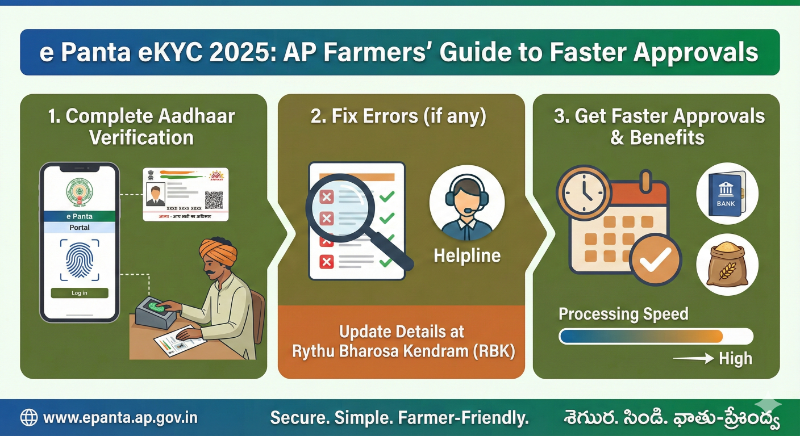
From 2025, the AP Agriculture Department made eKYC mandatory for every farmer, even if crop booking is already completed. Many farmers are still seeing errors like “eKYC Pending”, “Aadhaar Not Linked”, “Face Mismatch”, “Biometric Failed”.
This guide explains everything in simple language about how to complete eKYC online and offline, how to fix errors, and how to check verification status.
What is e Panta eKYC (2026)?
ePanta eKYC is Aadhaar-based identity verification used to confirm that the farmer:
- Is a genuine cultivator
- Has valid land records
- Is eligible for government benefits
- Has a working Aadhaar–bank–mobile link
Starting 2025, eKYC is linked with:
- PM Kisan
- Rythu Bharosa
- Webland records
- eKharif 2.0
- PMFBY crop insurance
Without completing eKYC, your applications remain pending, and payments get blocked.
How to Complete e Panta eKYC (2026)?
Below are the three approved methods.
Method 1: Face Authentication (Fastest – No OTP Needed)
This is the new option for 2026.
Steps:
- Visit: https://epanta.ap.gov.in
- Click “Face eKYC”
- Allow camera access
- Scan your face
- Verification completes in 10–15 seconds
Best for:
Farmers who do not have Aadhaar-linked mobile numbers.
Method 2: OTP eKYC (Online)
Steps:
- Visit: https://epanta.ap.gov.in
- Click “Aadhaar eKYC (OTP)”
- Enter Aadhaar number
- Enter OTP received on linked mobile
- Submit and check status
Works only if:
Your mobile number is linked to Aadhaar.
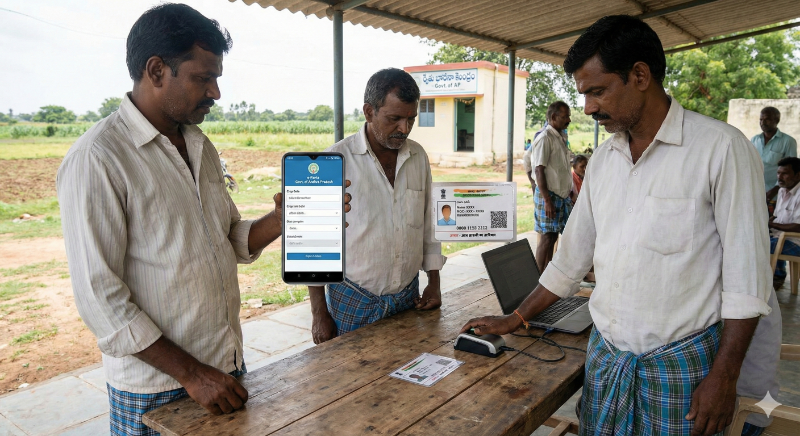
Method 3: Biometric eKYC (Offline at CSC/Sachivalayam)
Steps:
- Visit nearest CSC or Village Secretariat
- Give Aadhaar card
- Fingerprint or iris scan
- eKYC completed instantly
Service Charge:
Rs 15–20 (CSC fee)
How to Check e Panta eKYC Status?
- Visit epanta.ap.gov.in
- Click “eKYC Status”
- Enter Aadhaar number
- Verify with OTP
- You will see:
| Status | Meaning |
|---|---|
| Verified | You are eligible for benefits |
| Pending | Aadhaar not authenticated |
| Rejected | Mismatch in Aadhaar details |
| Biometric Required | OTP failed, visit CSC |
| Face Auth Pending | Scan again |
You can also check our e panta status guide for further information.
Common eKYC Errors and How to Fix Them
1. “Mobile number not linked to Aadhaar”
Reason: OTP cannot be delivered.
Fix:
Link mobile at Aadhaar Update Center → Free service.
Alternative:
Use Face eKYC or Biometric eKYC.
2. “Biometric authentication failed”
Fix:
- Retry at CSC
- Use iris scan if fingerprint is unclear
- Try Face eKYC
3. “Name mismatch between Aadhaar and Bank”
Fix:
Update either Aadhaar or Bank account details so both match.
4. “Aadhaar inactive or suspended”
Fix:
Visit Aadhaar Enrollment Center → Update biometrics.
5. “Face recognition failed”
Fix:
- Use good lighting
- Hold the phone steady
- Remove glasses or scarves
- Try biometric eKYC if still failing
2026 Updates: Important for ePanta Farmers
- Face Authentication added
- AI-based eKharif verification started
- Drone + satellite linked crop verification
- Rythu Bharosa DBT auto-approved only after eKYC
- New APK available only on epanta.ap.gov.in
FAQs
Conclusion
E panta ekyc is very crucial step for all the farmers. Your payments can get stuck if you don’t do it in time. The procedure is easy and can be done at home too. For complete information, see our E panta guide.